I always had a passion for 3D, and especially for Three.js. But like every time I opened Blender, the possibilities were endless, the time was limited, and to be honest there's little business case for Three.js.
That's where most of us developers turn to our personal portfolio website: the perfect place to show your knowledge in a unique and personal way, unburdened by external limitations.
The idea: a marimba that plays my music
Although I had a lot of fun with the physics engine in Three.js, I knew from the start it wasn't my final product. It didn't really show anything about me, except that I liked programming. And as with every project, the moment I finished it a thousand new ideas came to mind.
Around that time I was watching a challenge by Bruno Simon, one of the unsung heroes of Three.js. I can't find the exact example anymore, but it showed a fun interaction between balls colliding and a sound playing.
At the same time social media was in a frenzy of physics simulations: a single ball, or a whole lot of them, dropped into an empty space, colliding with staves or xylophone bars and playing jolly little tunes. That clicked with the musician half of my life. I'm a percussionist, and I started on the marimba. So I decided I wanted to build a live marimba simulation.
There are many roads to Rome, and while my inspiration came mainly from those physics simulations, that route had some real concerns. What is the main purpose of this thing, what is just nice to have, and what has to be 100% right for it to be any good?
Watch the viral videos and it quickly becomes clear: it's the music that is always perfectly in time, while the physics sim sometimes takes some liberties. So the base of the display would be a music recording, with a marimba simulation driven by the frequencies being played. Handy, because there's a well-known bit of maths for pulling the frequencies straight out of audio.
That maths is the Fourier transform. Give it a chunk of sound and it tells you which pitches are in there and how loud each one is. The fast version, the FFT, runs quick enough to do that every frame, and the browser's Web Audio API hands it to you out of the box.
const ctx    = new AudioContext();
const audio  = new Audio('true_romance.mp3');
const source = ctx.createMediaElementSource(audio);

const analyser = ctx.createAnalyser();
analyser.fftSize = 2048;                     // → 1024 frequency bins
const spectrum = new Uint8Array(analyser.frequencyBinCount);

source.connect(analyser);
analyser.connect(ctx.destination);           // still hear the track
audio.play();

analyser.getByteFrequencyData(spectrum);     // spectrum[i] ≈ energy at i·rate/fftSize Hz
Before wiring it up to 3D, let's just show what it looks like. Below is that exact spectrum painted as a spectrogram: time scrolls left, frequency runs low (bottom) to high (top), brightness is energy.
true_romance.mp3, nothing pre-rendered.The idea worked on paper. Turning that smear of energy into a marimba that felt musical was where some struggles started.
Which bar belongs to a sound?
Ok, this first problem isn't that hard, but for me it was a huge step in proving the vision was actually attainable. For those not in the know: a marimba is a percussion idiophone, a musical instrument that makes its tones by being struck.
Our marimba has 61 bars, from C2 (65.41 Hz) up to C7 (2093 Hz). Every bar sits a semitone above the last, and I give each one a little band of frequencies to watch: a window of a quarter-tone either side of its own pitch. A quarter-tone is exactly halfway to the next key, so the bands sit right up against each other and never overlap. Whatever the loudest FFT bin inside a bar's window is becomes that bar's level.
// each bar's fundamental, rising a semitone from C2 (65.41 Hz)
const freqHz = 65.41 * Math.pow(2, semitone / 12);

// loudest bin within a quarter-tone (2^(1/24)) either side
const q  = Math.pow(2, 1/24);
const lo = Math.floor((freqHz / q) / binHz);
const hi = Math.ceil ((freqHz * q) / binHz);

let peak = 0;
for (let k = lo; k <= hi; k++) peak = Math.max(peak, spectrum[k]);
And that looks like this. Press play and watch the 61 bars light up to the track, low notes on the left, high on the right:
One note, a whole cluster of keys
Play with that keyboard for a bit and you'll spot the problem: it's generous. Hit one note and its neighbours light up too, plus a faint bar an octave up. That's not the mapping being wrong, it's physics. A struck bar doesn't put out one clean frequency. It spills into the bins next to it and rings in overtones.
To try and fix this, I used a technic called lateral inhibition. It's something used in many measurement technics, and inspired by how your retina sharpens edges. A way to find local peaks in a scattered pattern, which in our case would be quite usefull. A practical way of implementing is that each bar subtracts a bit of its neighbour, and a bit of the notes an octave or so below it. A real hit is a local peak, so it survives. The spill next to it is just a lower shoulder, so it should cancel.
// the too clever version I ended up throwing away
const nb  = Math.max(raw[i-1], raw[i+1]);      // louder neighbour
let   sub = Math.max(raw[i-12], raw[i-19], raw[i-24]); // overtones below
let   v   = raw[i] - 0.75 * nb - 0.5 * sub;   // subtract the spill
Here you can see it running. It does sharpen things, but watch it fight the music: hold a chord or a ringing note and bars drop out, because the trick can't tell a real note from spill.
Even after much tweaking it definitely looked worse. That spill I was successfully killing is partly the actual music: sustained notes and real chords got eaten like noise, and the whole thing went way to twitchy instead. While optimizing I realized that either I needed a different approach (of which there are many), or I needed to tweak the settings even more. Also the more clean the notes were hit, the less visually appealing it started to look. So as with every project , I needed to do a reality check: what is the end-result I was originally aiming for and what the reasonable effort that I should invest in it?
In the end it was clear that I was over engineering stuff: What I kept is dumb by comparison. Drop anything under a noise floor, then give each bar a fast attack and a slow release, so it jumps on the hit and rings down after. That's it, and it's what feeds the 3D marimba later.
// what actually shipped: a gate + an envelope, nothing clever
let v = peak / 255;
v = v < 0.30 ? 0 : Math.pow((v - 0.30) / 0.70, 1.3);   // gate + curve
const k = v > bar.level ? 0.55 : rel;                 // fast attack, slow release
bar.level += (v - bar.level) * k;
From flat keys to a marimba, in time
Two things still stood between this flat bars and the thing at the top of this page. Neither keyboard above has them yet, by the way, they're the plain 2D version.
The first you probably felt more than saw: the lights run a touch behind the sound. This timing issue is not something I could fix away, it's the FFT itself. For every analysis of the soundwaves we first need to wait for a certain timespan of music. Then we analyse what frequencies were in that block. Every frame it hands me reflects the last fftSize samples, so the picture always trails the audio by about one window. I could shorten the window, but then the low notes blur together as these waves would not be as defined in a short timespan. As the marimba has quite low notes, this is one thing I couldn't loose.
So instead of rushing the picture, I slow down the sound. The analyser stays a silent tap that drives the visuals. The audio you actually hear takes a little detour through a delay of roughly one window, and ear and eye line back up.
const delay = ctx.createDelay();
delay.delayTime.value = 0.19;                 // ≈ the analyser's own lag, in seconds

source.connect(analyser);                     // silent tap → drives the visuals
source.connect(delay);
delay.connect(ctx.destination);               // delayed path → what you hear
Bit backwards, letting the sound wait on the picture, but it's a lot easier than making the picture guess what's about to happen.
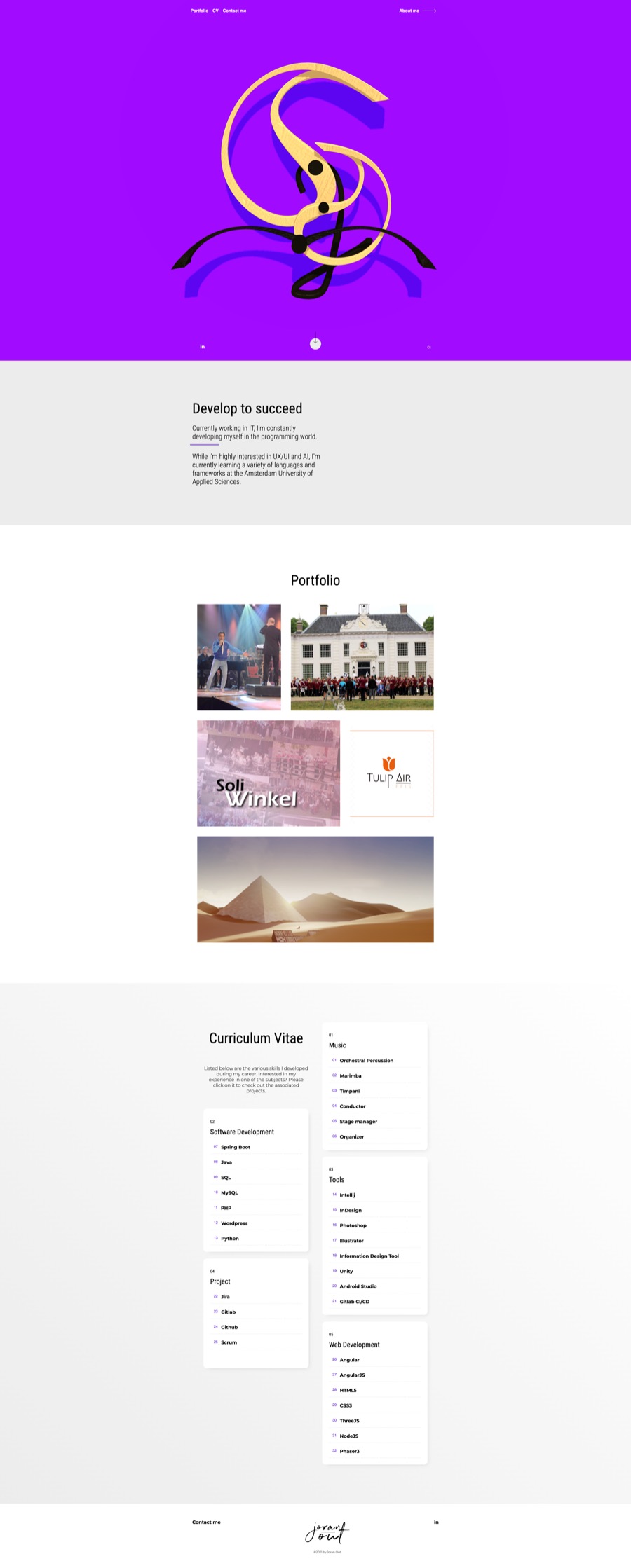
The second one is the fun part. Everything so far has been flat squares on a canvas. The real site drops those and builds an actual marimba in Three.js: 61 rosewood bars, resonator tubes, the frame, the lot. Same signal driving it, the exact same level per bar you just watched, except now a bar dips when it's hit and glows from the inside, sitting in 3D space instead of on a flat strip.
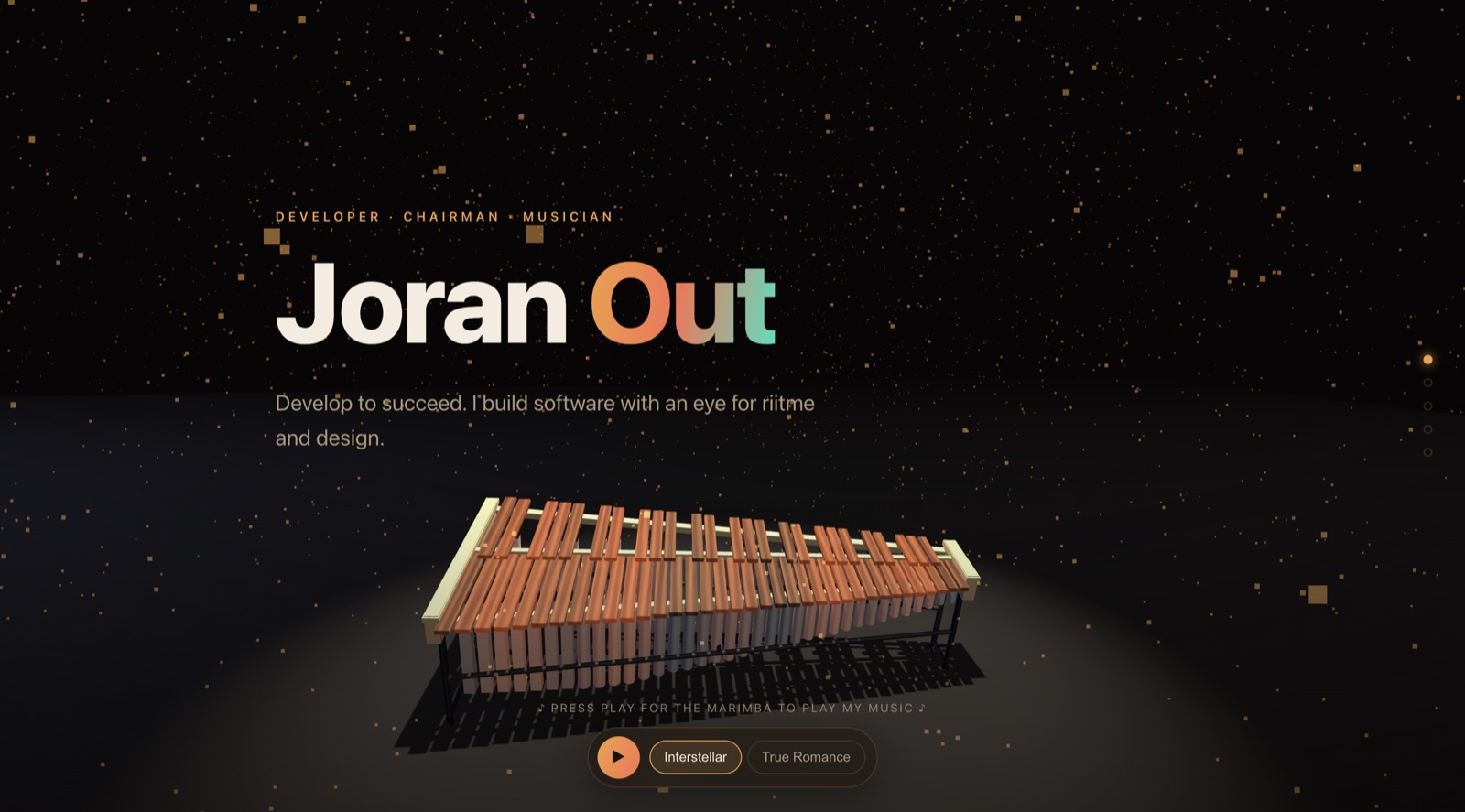
Every call came down to the same question: does this actually help the marimba play my music? The clever trick didn't, so it's gone.
One more thing: flying the camera on scroll
This one is pure garnish. A glowing marimba in a fixed frame is still just a poster, so I hooked the camera up to how far you've scrolled: it starts on a raised three-quarter view and dives down into space as you read. The whole flight is three lines.
// p = scroll progress, 0 (hero) → 1 (bottom)
const dip = 1 - Math.pow(1 - p, 3.5);         // drop fast early, ease out

camera.position.z = 10 - p * 30 * dip;        // fly forward, into the scene
camera.position.y = 5.8 - 4.3 * dip;          // sink from a ¾ view toward eye level
camera.lookAt(0, 3.6 - p * 3.4 * dip, camera.position.z - 9);
Here's that exact path drawn side-on: depth left to right, height bottom to top. The teal line is where the camera travels, the moving dot is the camera, and the coral stub is where it's looking. It loops on its own here, but it's the same curve your scroll drives up on the home page.